The Big Picture
One signal dominated this week: the tutorials are out-earning the trends they teach. The DJPON3 glitch how-to pulled 3.7M views from a 7,100-follower account. The CapCut “Big Boom Kaboom” AI photo-to-video tutorial hit the same number from a 70K account. The frame-perfect beat-drop transition got its largest spike on a locked-off “here is how I cut on the swipe” reference clip.
When the how-to outperforms the technique itself, the conventional read is that the trend is peaking and about to cool. That is wrong on a one-week horizon. The opposite is true. Adoption is about to explode. Viewers watch the tutorial and ship their own version inside 12 hours. The next 5 to 7 days is the window to ride the wave with a competent take.
Bigger frame: every top-tier trend this week is a technique that can be taught in 90 seconds. That puts every creator who can copy a tutorial on a level playing field with the originators. The competitive advantage shifts away from the edit. The thing the tutorial cannot teach you is point of view, the angle, the take, the specific reason your version exists. The technique commoditizes. The writer keeps the take.
1. ‘Transitions Are So Back’ Beat-Drop Transition
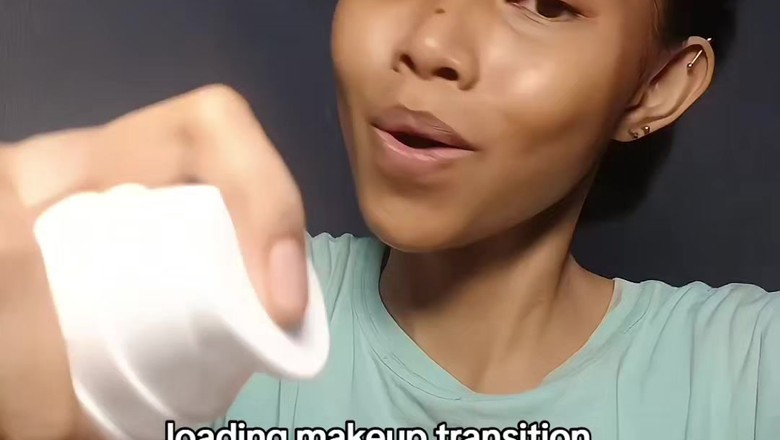
Long morph effects are out. The hand-swipe single-frame cut is back, and creators are literally captioning their videos “transitions are so back.” The format: a bare-face or casual-fit “before” and a full-glam or styled “after,” shot in two locked-off clips with identical framing. Cover the lens with your hand (or swipe an object across it) on the last beat before the drop. Cut both clips on the exact frame your hand fills the frame so the swipe reads as continuous. In CapCut, snap the cut to the audio transient, layer a whoosh and bass-thump SFX across the seam, and optionally scale the “after” clip from 100 to 104 percent over 6 frames so the reveal lands.
@xdcypp on TikTok (161.4K followers) hit 5M views in two days on the cleanest reference cut of the week. The reveal lands at the 3 to 4 second mark on a 7 to 12 second video. Format ports to GRWM, fit changes, event prep (prom, pageants, festivals, weddings), couples content, before-after reveals.
Category: Transition | Shelf life: 1 month
2. DJPON3 Glitch / Datamosh Edit
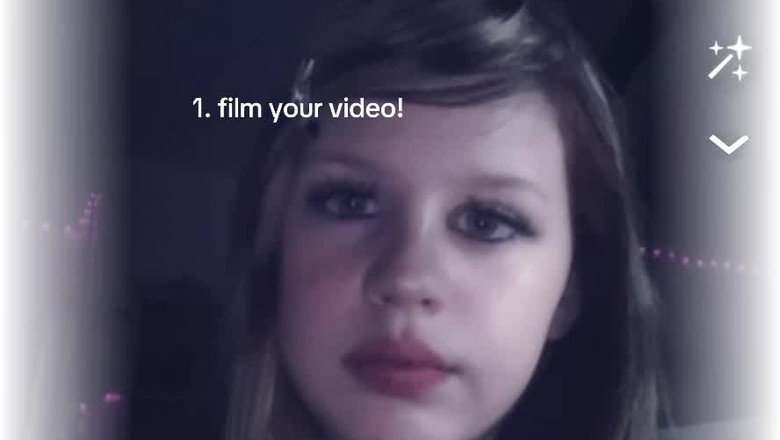
Built on the DJPON3 (DJ-Pon3) sound, this edit defines itself by aggressive digital-glitch and datamosh distortion punched in on the beat. The core look is a 2-to-4-frame chromatic-split (RGB offset, red and blue shifted +/-15px in opposite directions), a 1-frame frame-hold so motion appears to stutter, and a pure-white flash on the hardest hits. In CapCut: stack the Glitch, Rgb, and Shake effects clipped to roughly 0.1 second each, snapped to the audio transients. Boost contrast, add slight grain, crop in 5 to 8 percent on glitch frames for a punch feel.
@cyberisntreallymyname on TikTok (7.1K followers) hit 3.7M views on the breakout step-by-step tutorial. A 27K-follower account (@martulinaoriginal) just pulled 1.6M views on a fresh tutorial posted May 23, confirming the trend is live right now. The fit is character and anime edits, alt-aesthetic edits, hype intros, gaming montages.
Category: Visual Effect | Shelf life: 1-2 weeks (move now)
3. CORTIS ‘REDRED’ Mirrored Dance-Cover Edit
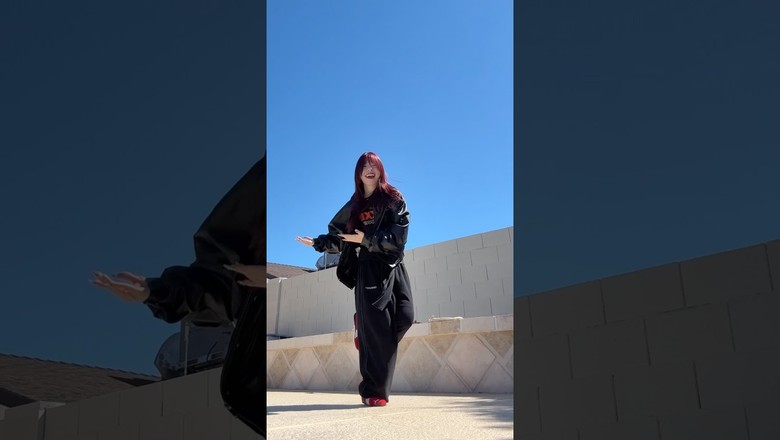
CORTIS’s “REDRED” is the dominant dance trend of the week. The editing convention has standardized: a horizontally-mirrored, mostly single-take cover so viewers can follow the choreography like a workout mirror, with a hard cut on the “RED RED” vocal stab around the 0:07 mark. Shoot the chorus in one continuous take, waist-up, eye-level, locked tripod. For the mirrored version, horizontally flip the clip (CapCut: Edit > Mirror; or scaleX = -100). Add a top-third title card in bold sans, ~90 percent opacity. Optional polish: a 0.5x slowed pass with a white “1-2-3-4” count-in caption and freeze-frames on key poses.
@karinabalcerzak on YouTube Shorts (1.18M subs) hit 311.8K views on the textbook mirrored cover. Two other creators in the 500K to 600K subs range are running the same format with strong view-to-subscriber ratios. The fit: dance covers, K-pop in public, choreography tutorials, group and duo content.
Category: Editing Technique | Shelf life: 1 month
4. JJK Season 3 Anime Edit Surge

Jujutsu Kaisen Season 3 dropped recently and anime editors are layering twixtor smoothing, speed-ramps, and heavy bloom-glow over Gojo, Sukuna, and Yuji fight scenes. The defining technique this cycle is the “120fps twixtor + bloom glow” look that makes the animation feel hyper-smooth and cinematic. Source clean 1080p+ clips of one character, apply CapCut’s “Smooth Slow Motion” for the fluid 60-120fps feel, speed-ramp held at 0.3-0.5x during big poses and snapped to 1.5-2x on impact frames. Add a bloom layer (duplicate clip, heavy blur, “Screen” blend at 30-40 percent) so highlights bleed.
@instinctedits2026 on YouTube Shorts (28.1K subs) hit 1.4M views on a Sukuna edit posted May 19, a clean reference for the bloom-glow technique. @kenny.225c on TikTok (6.2K followers) cleared 1M views on a Kenjaku edit, confirming the format rewards technique over follower count: a 6K-follower account hits the same view tier as the 28K-sub channels.
Category: Editing Technique | Shelf life: 1 month
5. CapCut AI Photo-to-Video Trend Engine
This is CapCut’s actual product, not a fan template. Feed it one still photo, it outputs a singing or dancing clip with no manual keyframes required. The dominant templates this week are “Big Boom Kaboom” (lip-sync animation) and the “AI Sway Dance” effect. The bottleneck for these creators is not generation, it is concept. You need a good photo and a beat in mind. The AI handles the rest.
@stitchs836 on TikTok (70.1K followers) hit 3.7M views on a “Big Boom Kaboom” clip. The format runs across pet content, character animations, meme reinterpretations, and any photo with a clear face. This is the cheapest viral attempt available right now: if you have a good photo and a beat, you can ship a viable clip in under five minutes.
Category: AI Tool / Template | Shelf life: 1 month (template engine, not a single trend)
Also Trending This Week
- Montagem: A family of Brazilian funk-derived audios where the hook chants a character’s name (Montagem Sukuna, Montagem Gojo, Montagem Goku) over slowed anime footage with a voice-chant watermark layered on the beat. The personalization angle (the audio chants the same character on screen) drives strong creator-to-creator riff chains. Strong fit for anime edit channels with a recognizable hero focus.
- Velocity & Speed-Ramp Phonk Edits: Sustained from prior weeks. Slowed-then-snapped speed-ramps on the phonk beat are still hitting across gym, gaming, and car content. The technique stack is mature, the shelf is long. Sustainable format for any high-energy vertical. 2 to 3 month shelf life.
- ‘Ranking the Best Edits’ Tier-List Reaction Format: Creators rank the week’s viral edits S-tier through F-tier on a graphic overlay while reacting. Meta-content about the edit-creator economy itself. Useful for edit-page creators trying to position themselves as taste-makers without doing the actual edit work each week.
- ‘And Emily... That’s All’ Vibe-Contrast Lip-Sync: Devil Wears Prada 2 audio. Contrast a polished setup (sharp outfit, clean office shot, premium-looking moment) with a deadpan dismissal in the audio. Lands hard for B2B, agency, and creator-economy content. 2 to 3 week shelf.
- ‘Bass Da Da Da’ Beat-Sync Jump-Cut Template: A CapCut template that auto-cuts your clip to a hard bass-line on every “da da da” vocal hit. Drop 4 to 6 clips into the template, post. Tap-button adoption pattern. Useful for creators who want a punchy edit without doing the timing work.
- ‘Be Her’ Envy / Aspiration POV Edit: Ella Langley audio. POV format from the perspective of someone wanting to be the subject. The aesthetic is luxurious, slow-pan, soft-lit. Strong fit for fashion, lifestyle, travel, and aspirational brand content. The opposite-pole format to the “And Emily” deadpan above.
- ‘Stuck Frame’ Freeze-Frame Animation Effect: Treats the subject as if they get frozen mid-motion while everything else keeps moving. After Effects level of polish is the gold standard, but CapCut keyframe rigs are good enough for a viable version. Best for hero shots, intros, and reveal moments.
What’s Fading
- ‘Transitions Are So Back’ (peaking now, fading soon): The format is at peak this week. Expect a hard drop-off by mid-June. This is the trend to ship into now, not after.
- Bieber ‘Hallelujah’ Listicle: Now in clear decline. Week 4 of adoption growth slowing. Drops off the chart in the next 7 to 10 days.
- Tomodachi Apartment Title-Card Meme: Past its window. Adoption was a 2 to 3 week burst tied to the Nintendo re-release. The template is preserved for future reuse but the current wave is over.
- Michael Jackson Biopic Dance Tutorials: Cooling as the home-release window closed. Strong long-tail on individual Beat It / Thriller tutorials, but the wave-level adoption has rolled off.
This week’s lesson: when the tutorial out-earns the trend, the technique is not peaking. It is teachable, which means anyone can ship a competent version inside a day. The 5 to 7 days after the breakout tutorial is the highest-leverage window of the trend cycle. The risk is not being too early. The risk is treating the tutorial pulling massive views as a signal to wait. The opposite is true: it is a signal to ship.
Further reading: “AI Can Make Content. It Can’t Make Hits.” A longer note on the gap between technique and originality, and where AI actually helps.
Build a Brand Kit in Two Minutes
Bootstrap is live. Paste a domain, pull every public source, get a real Brand Voice Profile that scales with your actual source material. Free to try.
Try Bootstrap →
- Wes Fleming
ScriptHooks Weekly Trends