This update changes how you interact with ScriptHooks. We built a conversational AI agent, added a persistent intelligence layer that learns your voice, shipped a strategy engine that plans your content calendar, and rebuilt the Video Grader with real niche benchmarks. And we organized the whole product into two modes that work together.
Here's everything that's new.
AI Chat
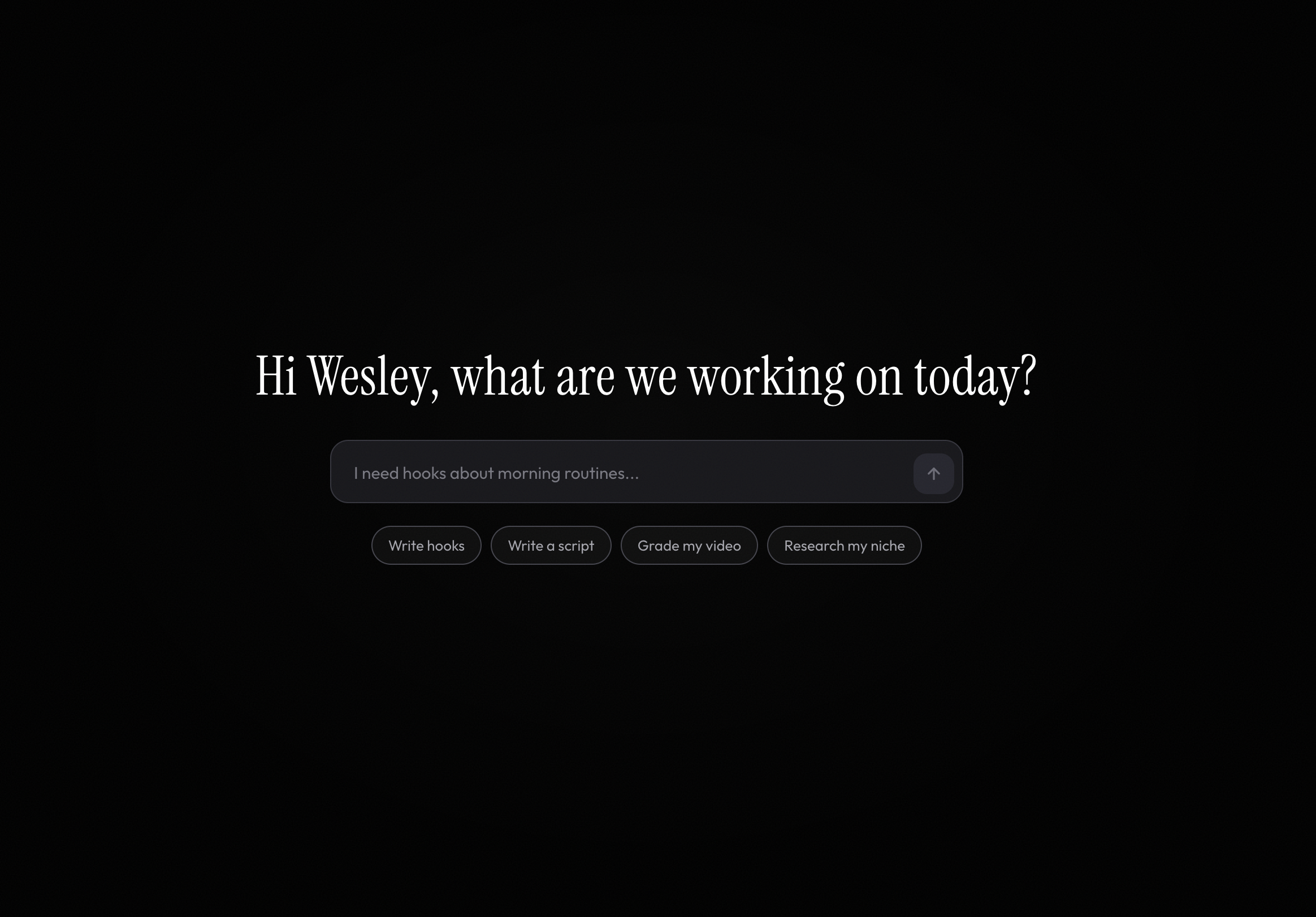
AI Chat is a conversational agent that can run every ScriptHooks tool through natural language. Instead of navigating to a page, filling out fields, and clicking generate — you just describe what you need.
"Write me 5 hooks for a video about morning routines." Done. "Now make them more story-driven." It remembers the context and regenerates. "Turn the first one into a full script." It switches tools and carries your hook over automatically.
The agent has access to seven tools:
- Hook Generator — Scroll-stopping hooks with style and angle control
- Script Generator — Full short-form scripts with structure and pacing
- Video Grader — Grade any YouTube video by URL with benchmark analysis
- Script Grader — Grade written scripts for hook strength, pacing, and engagement
- Niche Research — Market signals, trends, and competition analysis for any niche
- Find Competitors — Discovers competitor channels in your niche using YouTube search and AI recommendations. Say "find my competitors" and get a curated list with subscriber counts, video counts, and match reasoning.
- Strategy Engine — Build a 30-day content plan from your Brand Brain data
Results render inline as rich cards — not walls of text. And if you have Brand Brain set up, the agent already knows your niche, audience, and tone. It skips the questions and gets straight to work.
Think of it as a savvy producer friend who knows your brand, has every tool at their fingertips, and never asks you to repeat yourself.
Brand Brain
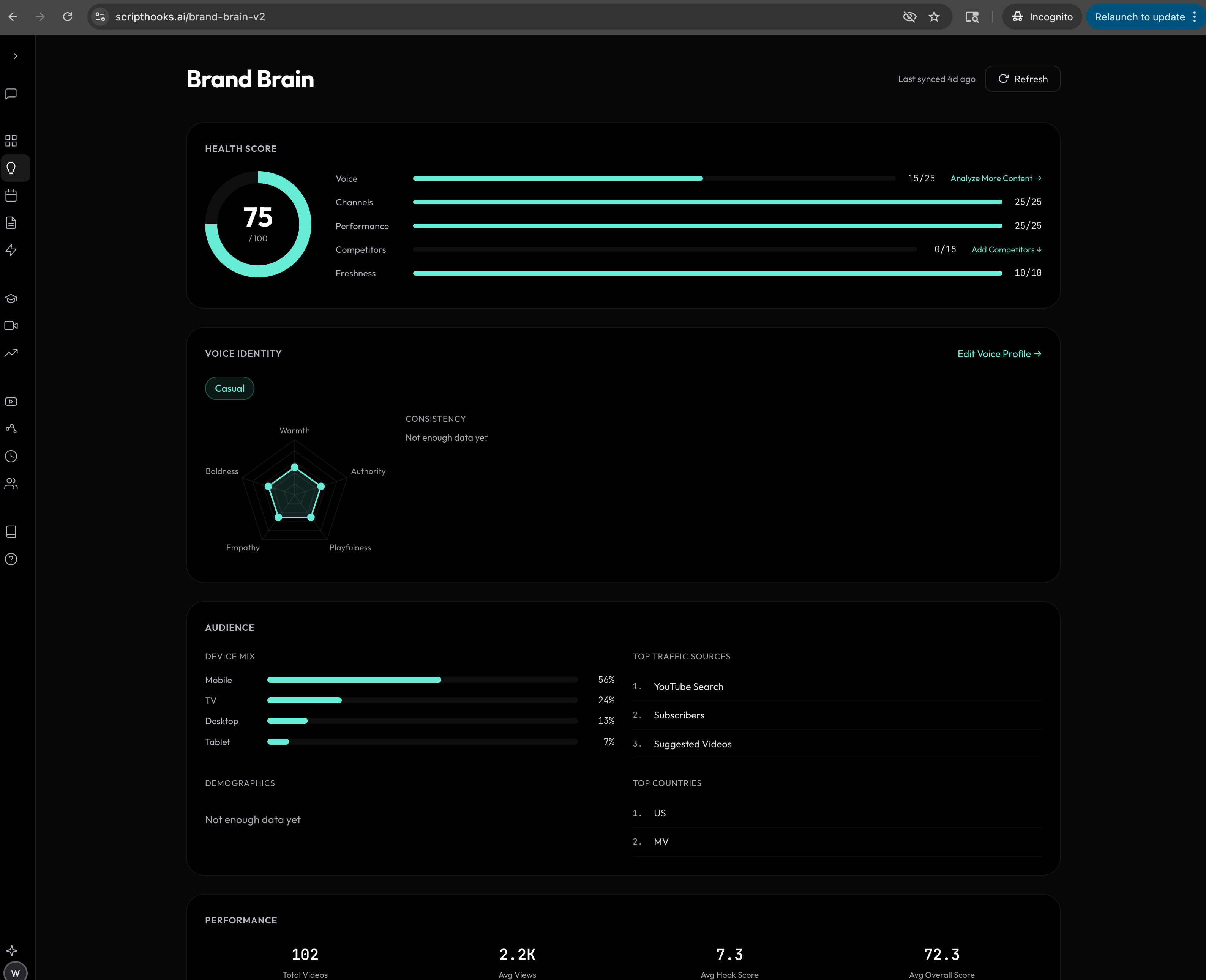
Brand Brain is the persistent memory that powers everything else. It has two input paths, and they answer different questions.
Uploads — who you are
Drag in scripts, brand guides, transcripts, blog posts, or any text content. Brand Brain runs voice analysis on everything you provide and builds a profile: your voice archetype, tonal dimensions (Warmth, Authority, Playfulness, Empathy, Boldness), sentence structure, speaking patterns, and custom vocabulary — words to use, words to avoid, and signature catchphrases.
This is what tells the AI how you talk. An agency with five clients and zero channels connected can build a full voice profile for each one from brand docs alone.
Channels — what works
Connect YouTube or TikTok and the system analyzes your published content. It extracts performance data: best hook types, engagement benchmarks, audience demographics, device mix, traffic sources, and optimal publish times. This is what tells the AI what your audience responds to.
Both paths feed into the same Brand Brain profile. Uploads give you the voice side. Channels give you the performance side. The agent uses both — and flags when it's working with partial data.
Here's what the dashboard tracks:
- Health Score — A composite 0–100 score across five dimensions: Voice Profile, Channels, Performance, Competitors, and Freshness. Inline CTAs tell you exactly what to fill in next.
- Voice Identity — Your voice archetype, tonal dimensions shown as a radar chart, speaking patterns, and custom vocabulary.
- Audience — Real channel analytics: device mix, traffic sources, demographics, and top countries.
- Performance — Aggregated stats: total videos, average views, average hook score, best hook types, and optimal publish times. Also shows your auto-detected niche as a badge.
- Niche Detection — Brand Brain automatically detects your niche from your brand profile industry, channel content, or graded videos. No manual input needed. This feeds directly into competitor discovery and strategy generation.
- Competitive Landscape — Track competitor channels manually or use the new "Find Competitors" button. The system searches YouTube and uses AI to recommend creators in your niche with similar audience size. Suggestions show up as cards with avatars, subscriber counts, and match reasoning — one click to add them.
Brand Brain updates as you use the platform — every video you grade refreshes your performance data, niche detection, and health score automatically. Every tool, including AI Chat, reads from it so your output always sounds like you. And now the AI Chat can act on it directly: ask it to find competitors and it searches YouTube and cross-references AI recommendations in your niche, returning a curated shortlist you can add with one click.
You don't need a YouTube channel to get started. Upload a few scripts or a brand doc and Brand Brain has enough to personalize immediately. Channel connection is the upgrade path for performance data, not a gate.
Strategy Engine
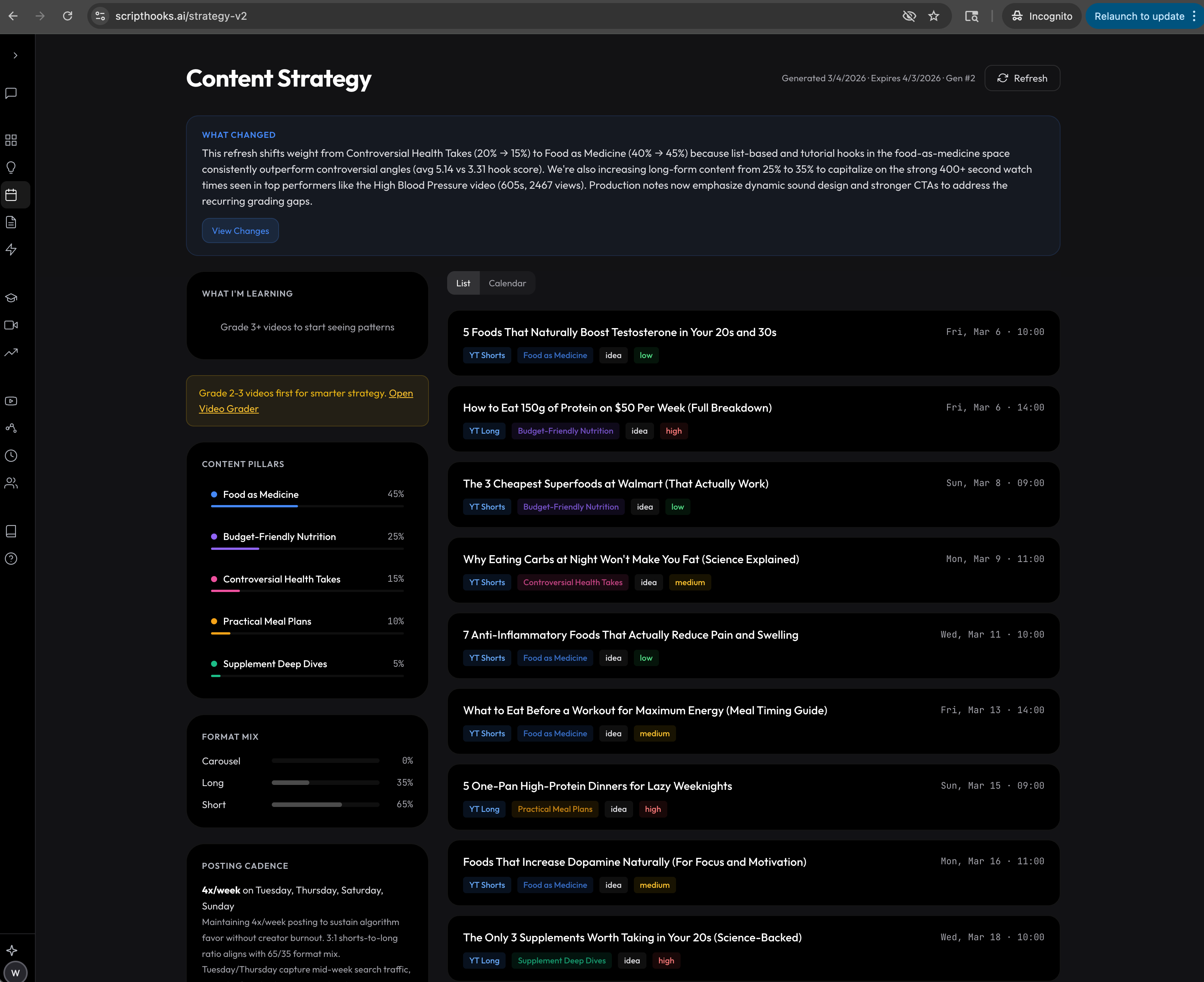
Strategy Engine takes everything in your Brand Brain and produces a data-backed content plan. Not generic advice. A real plan grounded in your actual performance data, audience signals, and competitive gaps.
Here's what it generates:
- Content Pillars — Up to 5 named pillars with weighted distribution so you know how to balance your content mix
- Format Mix — The right split between short-form, long-form, and carousel based on what's actually working for your channel
- Posting Cadence — Recommended posts per week, best publish days, with reasoning
- Competitive Gaps — Topics where your competitors are weak or absent, each scored with an opportunity rating
- Content Calendar — A 2–4 week calendar with titles, platform targeting, pillar tags, effort levels, and AI-generated hook suggestions for each entry
Every calendar entry has a one-click "Generate Script" button that fires the script generator with the topic and hooks pre-filled. The strategy isn't a document you read — it's a launchpad you execute from.
When you refresh the strategy, it shows you what changed and why. A visual diff panel compares the before and after, and an adaptation narrative explains the reasoning.
Video Grader with Niche Benchmarks
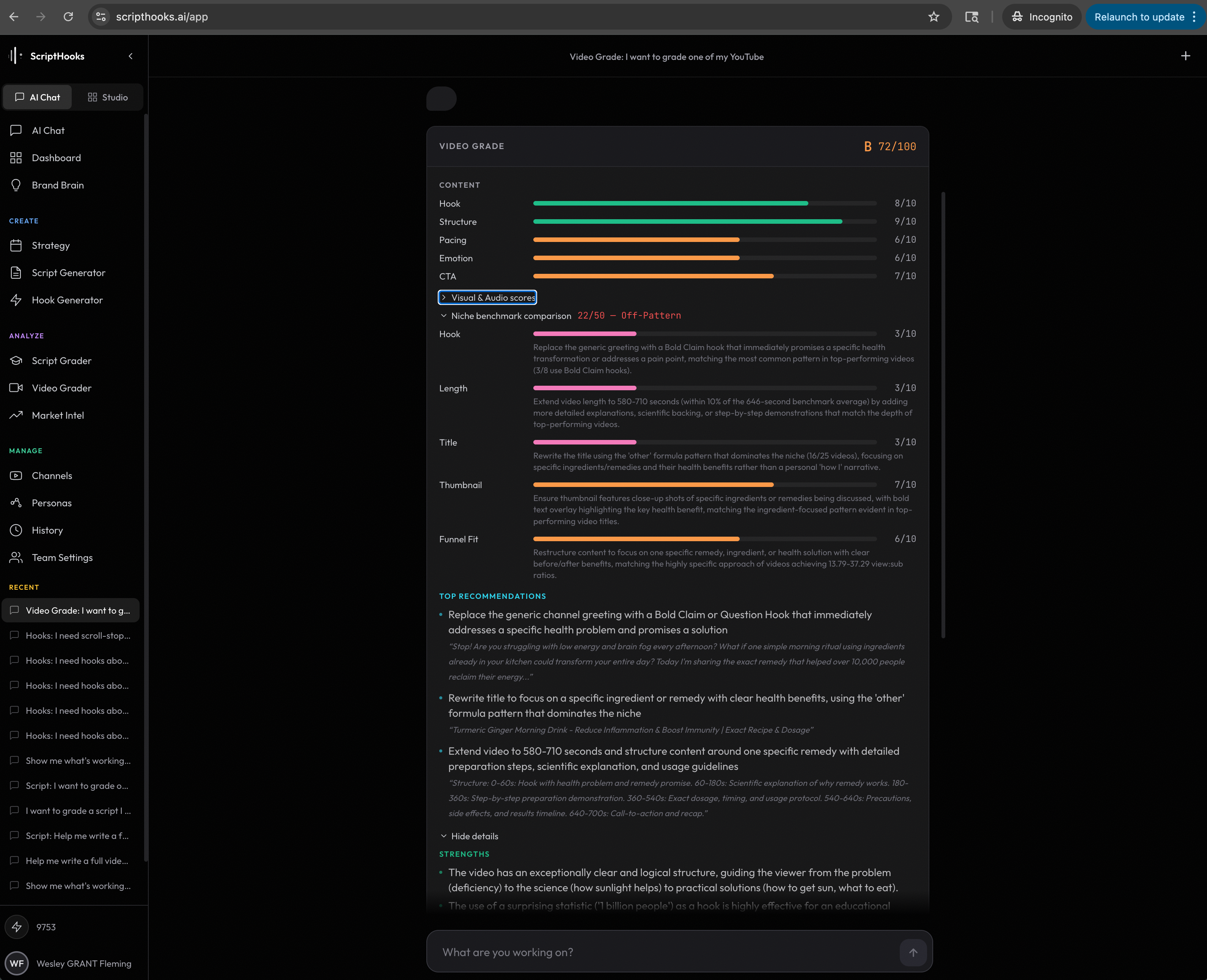
The Video Grader now has two tabs. The first gives you a quality grade with breakdowns across content, visual execution, and audio production — including an engagement arc analysis that overlays your video's attention curve against the ideal arc for your format.
The second tab is new: Niche Benchmarks.
The system auto-detects your video's niche, pulls benchmark data from top performers in that space, and scores you across five dimensions with visual gauges. Each dimension is expandable with per-metric analysis and recommendations. Every recommendation is cited back to specific benchmark data — you know exactly why you're getting the advice.
It also surfaces the actual reference videos used as benchmarks, so you can study what top performance looks like in your niche.
Quality Grade
Content, visual, and audio breakdowns with engagement arc analysis
Niche Benchmarks
Auto-detected niche, scored against real top performers, cited recommendations
Stop grading against a generic rubric. See exactly where you stand relative to the best creators in your specific niche — and get actionable recommendations to close the gap.
Two Modes, One Product
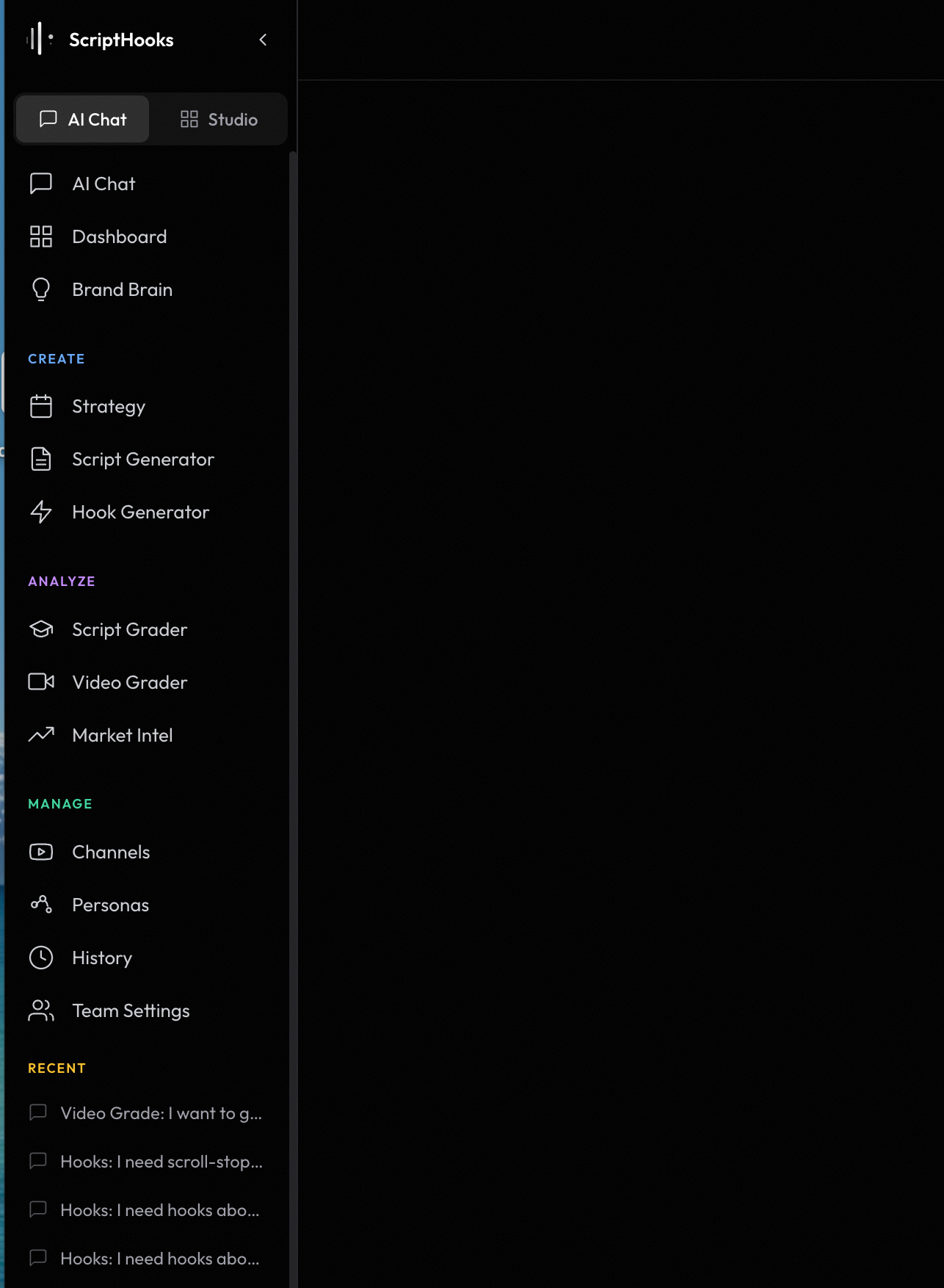
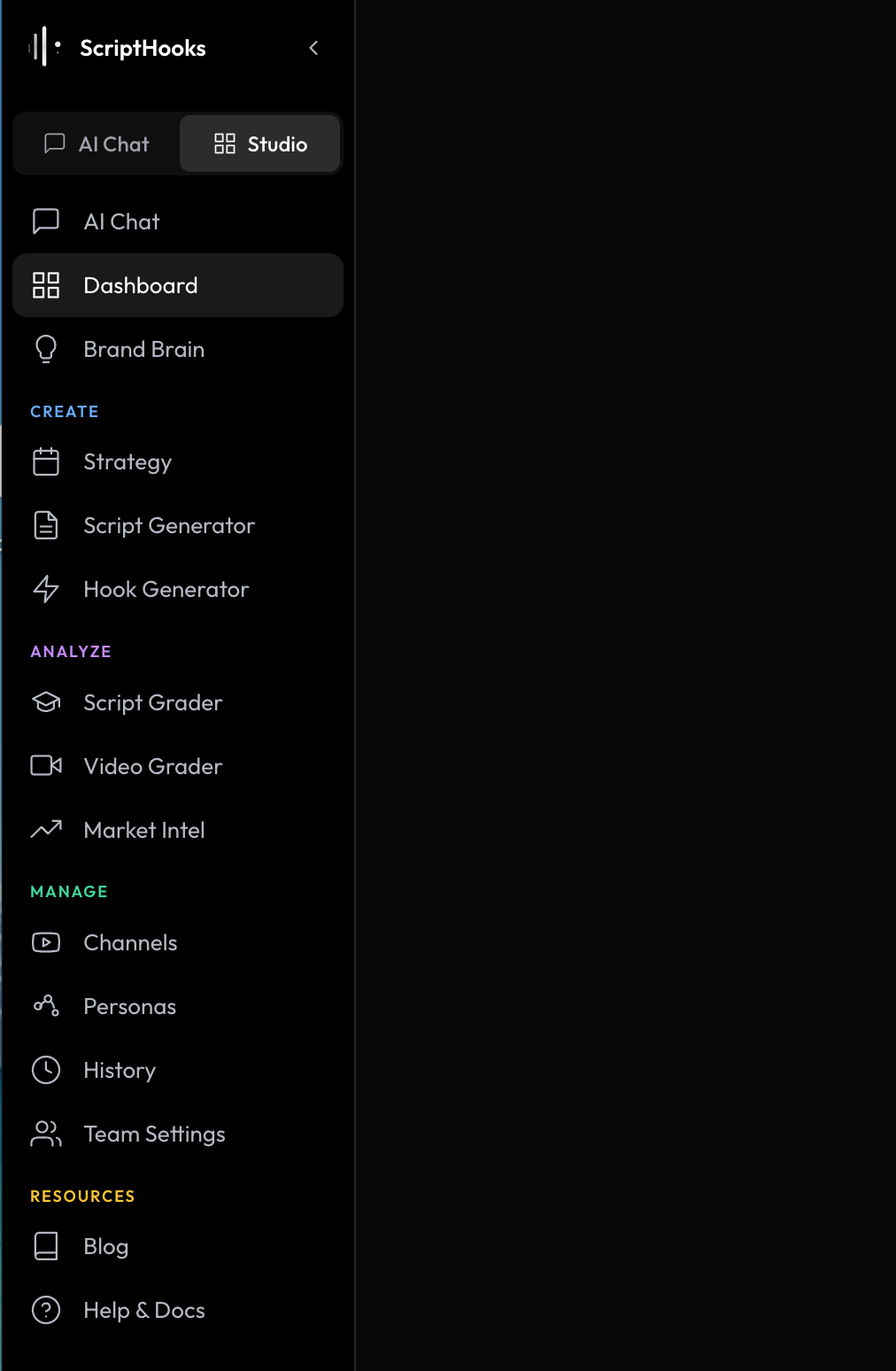
ScriptHooks now has a visible mode toggle at the top of the sidebar:
- AI Chat — The conversational agent with persistent memory. Describe what you need, get results inline, and pick up any past conversation where you left off.
- Studio — The full standalone toolkit. Every tool on its own page with full controls and settings. Best for deep work and fine-tuning.
Both modes share the same navigation, the same Brand Brain data, and the same tools underneath. The toggle just changes how you interact with them. If you prefer clicking through pages, Studio is exactly where you left it. If you prefer talking, AI Chat is one click away.
What's Next
We're not slowing down. On the roadmap:
- Strategy execution tracking (idea → scripted → filmed → published)
- Multi-channel benchmark comparisons
- AI Chat memory across sessions
- Competitor performance tracking and gap alerts
If something feels off or you have a feature request, reach out. We read everything.
Try AI Chat Now
Every update is live. Open AI Chat and start a conversation, or switch to Studio to explore the new tools.
Open ScriptHooks →
- The ScriptHooks Team
Building tools for creators who take their content seriously.