This is the biggest single update we've ever shipped at ScriptHooks. Over the past several weeks, we rebuilt every product page, added visual B-Roll direction to the Script Generator, launched a complete Knowledge Base, fixed mobile from the ground up, unified navigation across the entire app, added Market Intelligence as a standalone analysis tool, and polished dozens of details that make the whole experience feel tighter.
Here's everything that changed.
Cinematic Redesign
Every product page has been rebuilt with a new cinematic dark theme. The old layouts are gone. In their place: a unified visual language with deep charcoal backgrounds, refined typography, and consistent spacing across the Hook Generator, Script Generator, Trending Analysis, Brand Voice, Analytics, and every other tool in the suite.
This wasn't a coat of paint. The underlying layout structure changed. Sidebar navigation is now consistent across all pages. Content panels use the same card system. Buttons, inputs, and interactive elements follow the same design tokens everywhere.
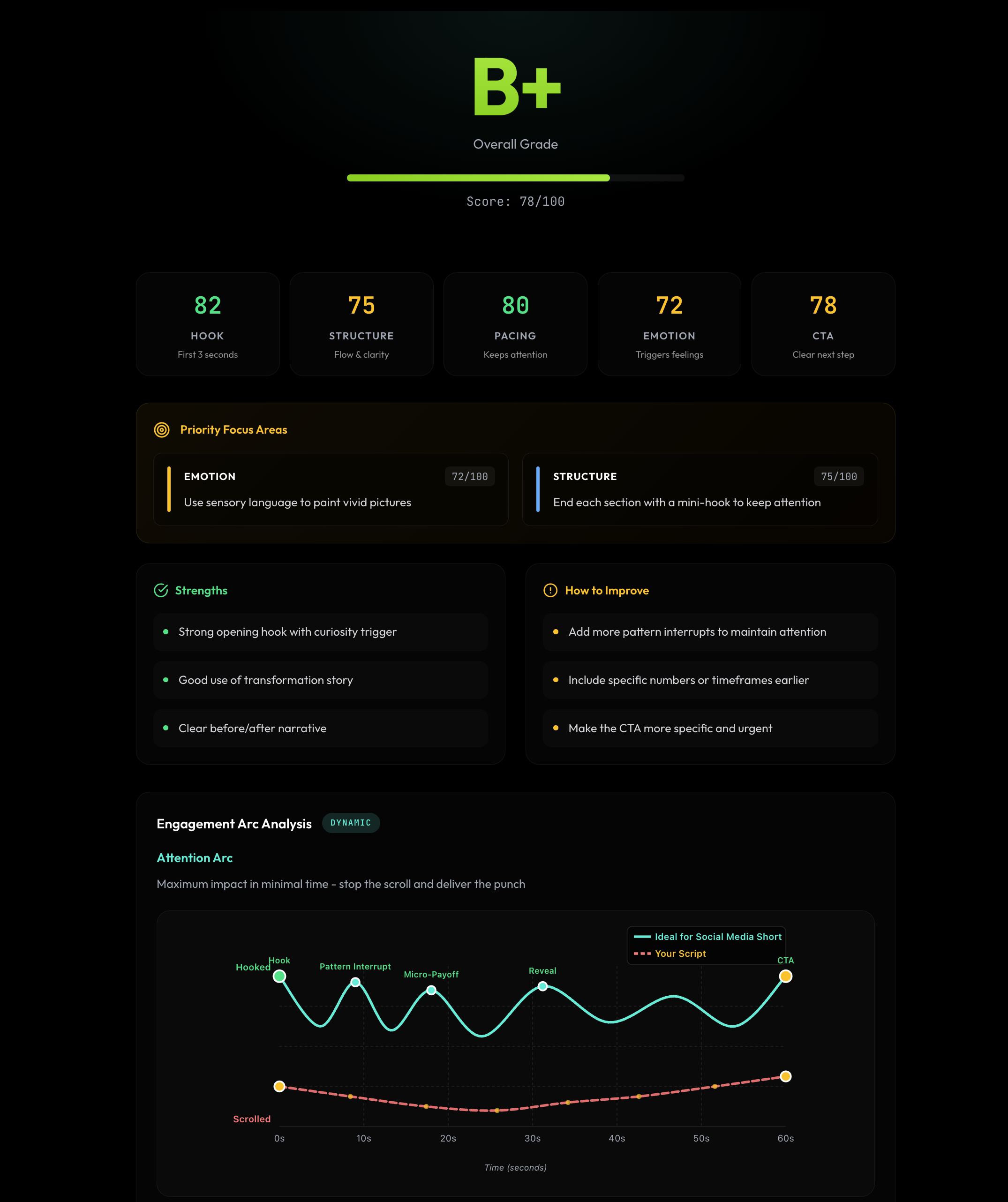
The goal was simple: every page should feel like it belongs to the same product. No more visual whiplash when moving between tools.
Visual B-Roll Direction
The Script Generator now produces full visual direction and B-Roll references alongside every script. When you generate a script, each section comes with timestamped B-Roll shot lists that include shot descriptions, camera direction (close-up, medium, wide), lighting notes, and composition guidance.
But the real addition: visual reference thumbnails. Each B-Roll segment now includes a row of curated reference images showing exactly the type of footage you need. No more guessing what "quick cuts of foiled attempts" or "stock footage of confused person, split-screen comparison" should look like — you can see it.
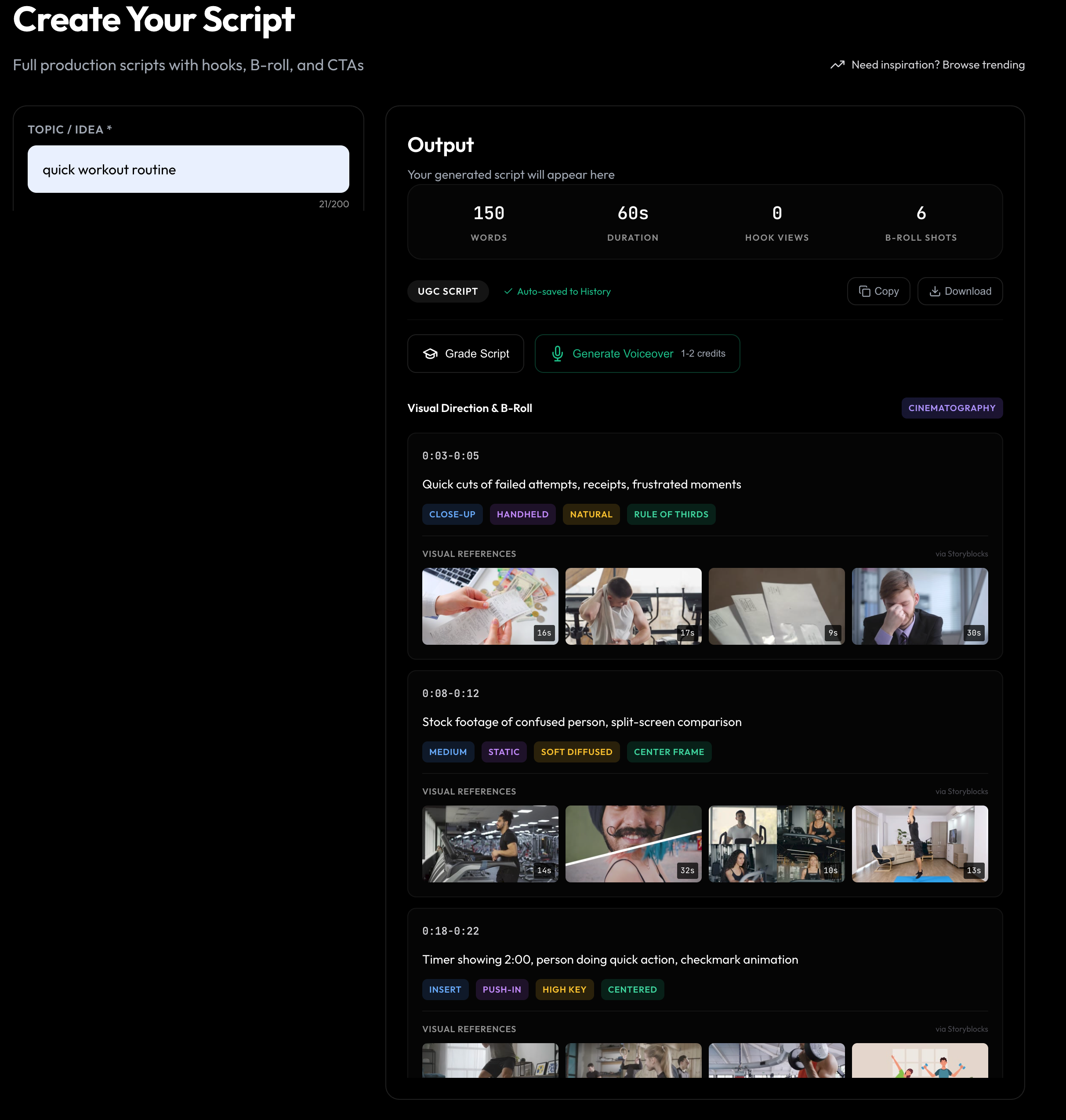
Every shot is tagged with cinematography metadata — shot type, camera movement, lighting style, and framing composition. Whether you're shooting it yourself or pulling from a stock library, you know exactly what to look for. Downloading the reference images requires a Pro membership.
Generate a script. Get the full B-Roll shot plan. Download the visual references with Pro. Show up to the shoot knowing exactly what you need for every second of your video.
Knowledge Base
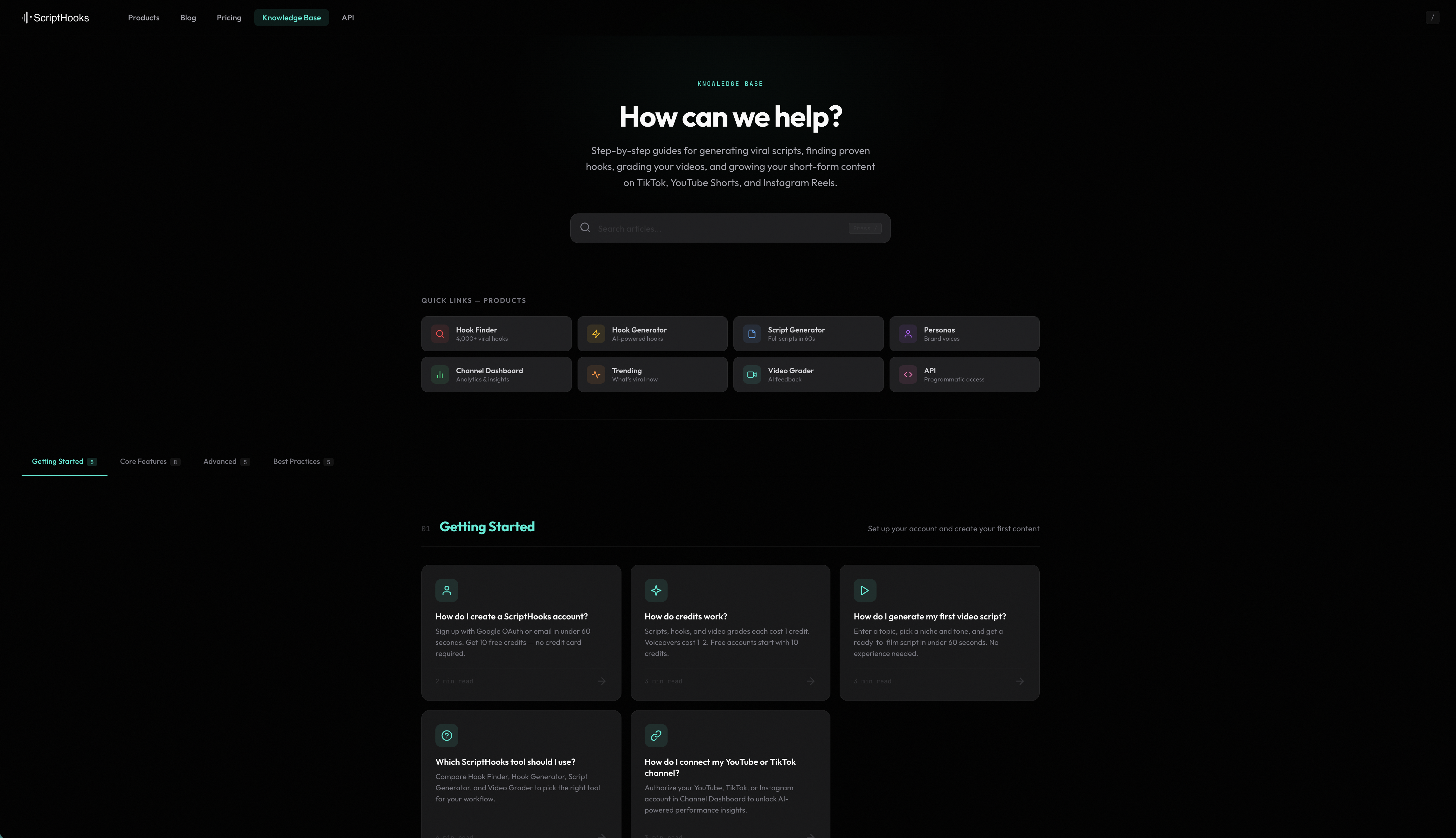
We launched a full Knowledge Base with 25+ articles covering everything from getting started to advanced workflows. The articles are organized into four categories:
- Getting Started — Account setup, first hook, dashboard orientation
- Core Features — Deep dives into the Hook Generator, Script Generator, Trending Analysis, Brand Voice, and Analytics
- Advanced Usage — Market Intelligence, API access, channel connections, stacking hook styles with content angles
- Best Practices — Workflow guides, content strategy frameworks, optimization tips
You can access the Knowledge Base from the sidebar under "Help & Docs." Every article is searchable, and we'll keep adding more based on the questions you ask.
Mobile Experience
Mobile is no longer an afterthought. Every page is now fully responsive with proper breakpoints, a working hamburger menu, and no horizontal scroll issues. The sidebar collapses cleanly on smaller screens, forms stack correctly, and content panels resize without breaking.
If you tried using ScriptHooks on your phone before and gave up, try again. It's a different experience now.
Smarter Navigation
The sidebar is now unified across every product page. Same groups, same order, same behavior everywhere:
Create
Dashboard, Script Generator, Hook Generator
Analyze
Script Grader, Video Grader, Market Intel
Manage
Channels, Brand Kits, History
Resources
Blog, Help & Docs
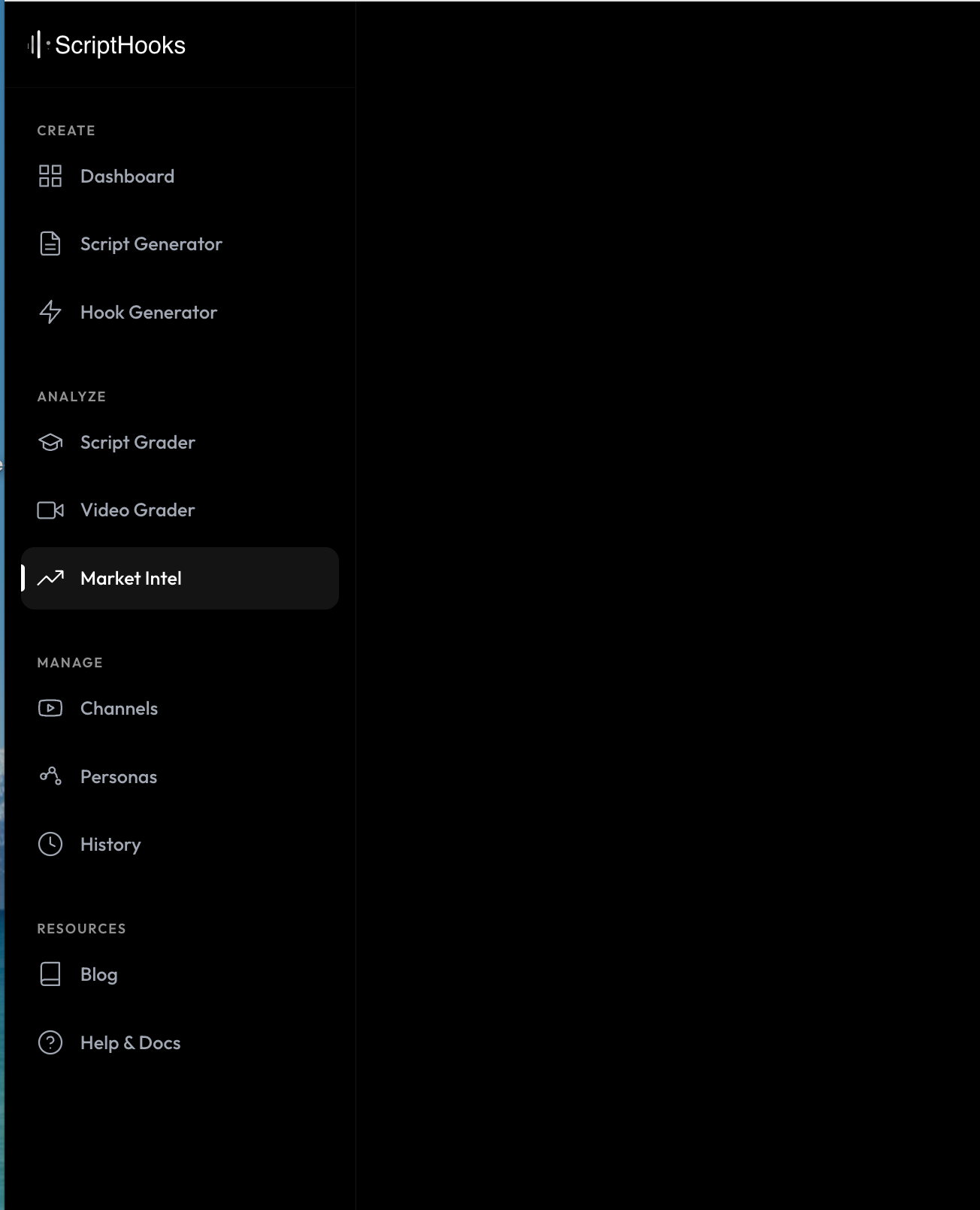
The logo always links home. Account links route correctly whether you're logged in or not. No more dead ends.
Market Intelligence
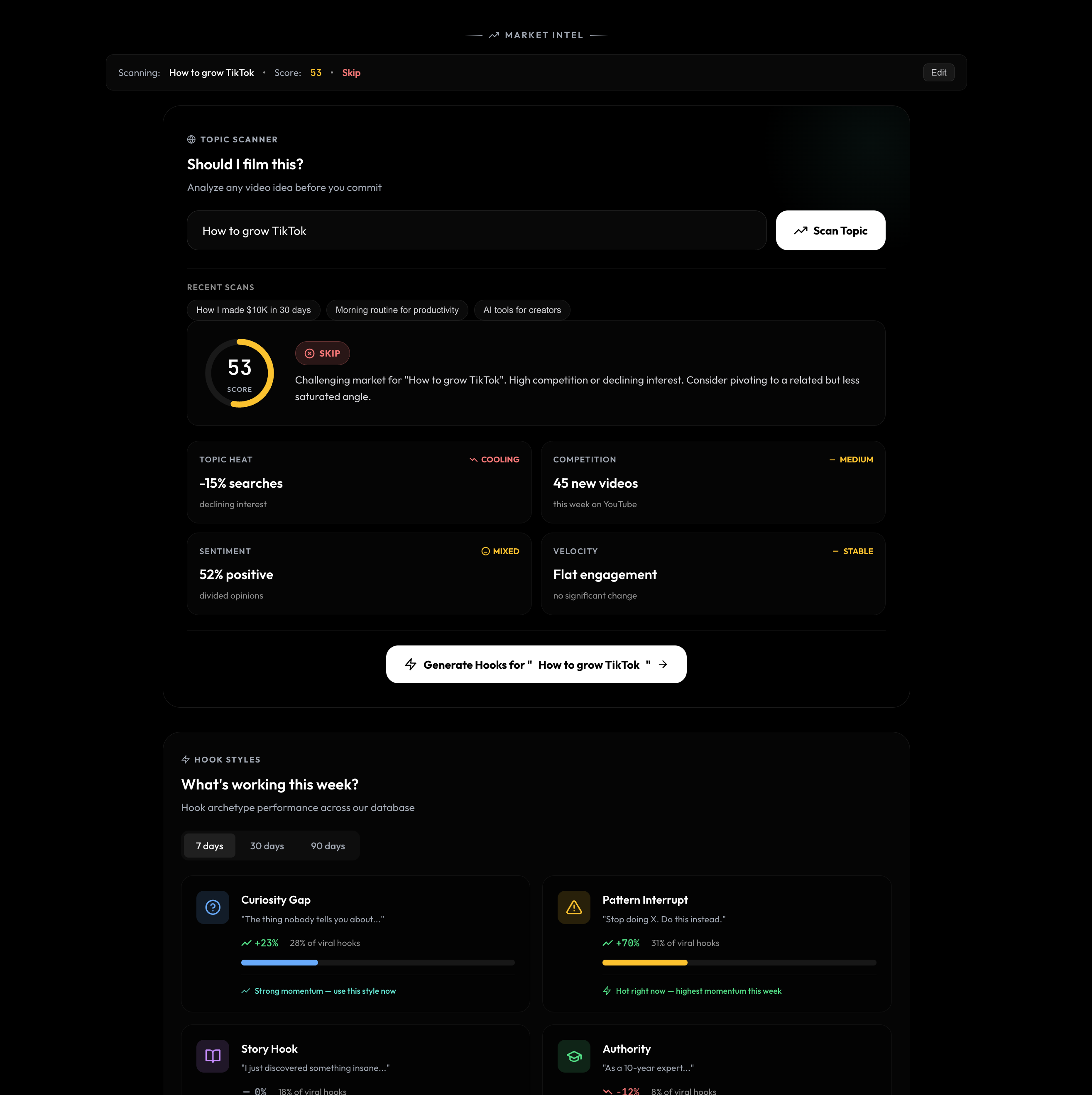
Market Intel is a new standalone tool in the Analyze group. Enter any topic and the Topic Scanner gives you a score, a recommendation (film it, consider it, or skip it), and a breakdown across four signal categories:
- Topic Heat — Whether search interest is rising, cooling, or flat
- Competition — How many new videos are being published on this topic right now
- Sentiment — Whether the audience mood is positive, mixed, or negative
- Velocity — How fast engagement is changing on this topic
Below the scanner, "What's working this week?" shows hook archetype performance across the database — which styles have momentum and which are cooling off. Think of it as a gut-check before you commit to a topic.
Quality of Life
The small things that add up:
- White CTA buttons with blue glow hover — Cleaner, more visible calls to action across all pages
- OG image refresh — Updated social sharing previews so links look sharp when shared
- Unified account routing — Login, signup, and account links all behave consistently regardless of where you are in the app
- Session auth fixes — Smoother authentication flow with fewer unexpected logouts
- Bug fixes — Dozens of small fixes across the board
What's Next
We're not slowing down. On the roadmap:
- Variation generation (same topic, multiple angles, side by side)
- Performance tracking per content angle
- More Knowledge Base articles based on your questions
- Expanded API capabilities
If something feels off or you have a feature request, reach out. We read everything.
See It for Yourself
Every update is live right now. Log in and explore the new experience.
Open ScriptHooks →
- The ScriptHooks Team
Building tools for creators who take their content seriously.